หลักสูตรใหม่: Claude Cowork สำหรับองค์กรNew program: Claude Cowork for organizations

อบรม Claude Cowork สำหรับองค์กรClaude Cowork Training for Organizations

อัปเดตล่าสุด 2026-10-25Last updated 2026-10-25

Claude Cowork คือโหมดเอเจนต์ของ Claude สำหรับงานที่ไม่ใช่การเขียนโค้ด คุณบอกผลลัพธ์ที่ต้องการ แล้วมันลงมือทำหลายขั้นตอนในไฟล์และเครื่องมือของคุณ เราสอนให้ทีมส่งงานให้ Cowork เป็น ตรวจงานเป็น และตั้งกติกาให้ใช้ได้อย่างปลอดภัยClaude Cowork is Claude's agent mode for work that is not coding. You describe the outcome you want, and it works through the steps in your files and tools. We teach your team to hand work to Cowork, check what comes back, and set rules so it is used safely.

สรุปสั้นTL;DR

อบรม Claude Cowork โดย AI Trainer Thailand สอนทีมในองค์กรให้ส่งงานให้ Cowork ทำในไฟล์จริง ตรวจผลก่อนใช้ และตั้งกติกาการใช้ให้ปลอดภัย มีให้เลือก 3 แบบ คือ สรุปผู้บริหาร 2–3 ชั่วโมง เวิร์กช็อปทีม 1 วัน และชุดวางระบบใช้งานทั้งองค์กร จัดได้ทั้ง Onsite และ Online ขอใบเสนอราคาฟรีภายใน 24 ชั่วโมงClaude Cowork training by AI Trainer Thailand teaches teams to hand work to Cowork in their real files, check the results before use, and set safe usage rules. There are three formats: a 2–3 hour executive briefing, a one-day team workshop, and a rollout package for the whole organization. Delivered onsite or online, with a free quote within 24 hours.

  • 100+ องค์กร100+ organizations
  • 9 หน่วยงานภาครัฐ9 government agencies
  • 64 หลักสูตร64 courses

Claude Cowork

ทำงานในโฟลเดอร์ที่คุณเลือกWorks in the folder you choose

สรุปยอดขายเดือนนี้จากไฟล์ในโฟลเดอร์ แล้วทำสไลด์ 5 หน้าSummarize this month's sales from the files in the folder, then make a 5-slide deck.
1อ่านไฟล์ยอดขายในโฟลเดอร์Reads the sales files in the folder
2รวมยอดและเทียบกับเดือนก่อนTotals the figures and compares with last month
3สร้างตารางและสไลด์ 5 หน้าBuilds the table and a 5-slide deck
ไฟล์ที่ได้Files produced Excel PowerPoint

รอคุณอนุมัติก่อนส่ง/บันทึกWaiting for your approval before it sends or saves

คุณตรวจก่อน แล้วค่อยกดอนุมัติYou check first, then approve.

ภาพจำลอง ไม่ใช่หน้าจอจริงSimulation, not the actual screen

Claude Cowork คืออะไร ต่างจากแชต Claude ปกติยังไงWhat is Claude Cowork, and how is it different from regular Claude chat?

Cowork คือโหมดที่ Claude รับงานเป็นผลลัพธ์ แล้วลงมือทำให้ครบหลายขั้นตอน ไม่ใช่แค่ตอบเป็นข้อความCowork is the mode where Claude takes a task as an outcome and carries it through several steps, instead of only replying with text.

มันทำงานในไฟล์และเครื่องมือที่คุณอนุญาต และสร้างชิ้นงานให้ เช่น สเปรดชีต สไลด์ และเอกสารIt works in the files and tools you allow, and produces finished pieces such as spreadsheets, slide decks and documents.

เรื่องTopic แชตปกติRegular chat Claude Cowork
วิธีสั่งงานHow you give workถามทีละข้อ ได้คำตอบเป็นข้อความYou ask one question at a time and get text back.บอกผลลัพธ์ที่ต้องการ แล้วมันวางแผนและทำต่อเนื่องหลายขั้นตอนYou state the outcome; it plans and works through several steps.
ที่ที่งานเกิดขึ้นWhere the work happensคำตอบอยู่ในหน้าแชต คุณต้องคัดลอกไปใช้เองThe answer stays in the chat, and you copy it out yourself.ทำในไฟล์และเครื่องมือที่คุณอนุญาต และสร้างไฟล์ให้เลยIt works in the files and tools you allow and creates the files for you.
บทบาทของคนThe person's roleอ่านคำตอบ แล้วตัดสินใจเองRead the answer, then decide.ตรวจแผนและผลลัพธ์ และอนุมัติขั้นที่ย้อนกลับยาก เช่น ส่งหรือลบCheck the plan and the result, and approve steps that are hard to undo, such as sending or deleting.

ตั้งแต่เดือนกันยายน 2026 Cowork เริ่มรวมกับแชตเป็นประสบการณ์เดียว หน้าตาจึงอาจต่างกันตามบัญชี สิ่งที่สอนในคลาสยังใช้ได้เหมือนเดิมSince September 2026, Cowork has started merging with chat into one experience, so the interface can look different by account. What we teach in class still applies.

อ่านบทความอธิบายแบบละเอียด: Claude Cowork คืออะไร ใช้ยังไงRead the full explainer: what Claude Cowork is and how to use it

6 งานที่ทีมส่งให้ Cowork ได้ในสัปดาห์แรก6 jobs your team can hand to Cowork in week one

ทุกงานมีส่วนที่คนต้องตรวจ เราสอนทั้งสองส่วนไปด้วยกันEvery job has a part a person must check. We teach both parts together.

ฝ่ายขายSales

รายงานยอดขายจากไฟล์Sales report from files

งานที่ส่งให้ CoworkWhat you hand to Cowork

รวมไฟล์ยอดขายในโฟลเดอร์ เทียบกับเดือนก่อน แล้วทำตารางสรุปCombine the sales files in a folder, compare with last month, and build a summary table.

คนยังต้องตรวจWhat a person still checks

ตัวเลขตรงกับระบบจริง และข้อสรุปสมเหตุสมผลThe numbers match the real system and the conclusions make sense.

ฝ่ายวางแผนและกลยุทธ์Planning and strategy

ร่างสรุปงานวิจัยResearch brief

งานที่ส่งให้ CoworkWhat you hand to Cowork

อ่านเอกสารและรายงานที่คุณให้ แล้วเขียนบทสรุปสั้น ๆ พร้อมประเด็นสำคัญRead the documents and reports you provide, then write a short brief with the key points.

คนยังต้องตรวจWhat a person still checks

ที่มาของข้อมูล ข้อเท็จจริง และตัวเลขที่อ้างถึงThe sources, the facts and any figures it cites.

ทุกฝ่ายEvery team

เปลี่ยนบันทึกประชุมเป็นสไลด์Meeting notes into a deck

งานที่ส่งให้ CoworkWhat you hand to Cowork

แปลงบันทึกประชุมเป็นสไลด์สรุป พร้อมรายการงานที่ต้องทำต่อTurn meeting notes into a summary deck with the follow-up action list.

คนยังต้องตรวจWhat a person still checks

ผู้รับผิดชอบ วันที่ และข้อตกลงที่จดไว้ถูกต้องOwners, dates and agreed decisions are recorded correctly.

ฝ่ายบัญชีและการเงินAccounting and finance

ทำความสะอาดสเปรดชีตCleaning spreadsheets

งานที่ส่งให้ CoworkWhat you hand to Cowork

จัดรูปแบบชื่อและวันที่ หาข้อมูลซ้ำ แล้วบันทึกเป็นไฟล์ใหม่Standardize names and dates, find duplicates, and save the result as a new file.

คนยังต้องตรวจWhat a person still checks

เทียบกับไฟล์ต้นฉบับ และสุ่มตรวจแถวที่ถูกแก้ ควรใช้สำเนาไฟล์Compare with the original and spot-check edited rows. Work on a copy.

ฝ่ายการตลาดและจัดซื้อMarketing and procurement

ค้นข้อมูลคู่แข่งบนเว็บCompetitor web research

งานที่ส่งให้ CoworkWhat you hand to Cowork

ใช้เบราว์เซอร์ในตัวเปิดเว็บที่คุณระบุ อ่านหน้าสินค้า แล้วสรุปเป็นตารางเทียบUse the built-in browser to open the sites you name, read the product pages, and summarize them in a comparison table.

คนยังต้องตรวจWhat a person still checks

ข้อมูลตรงกับหน้าเว็บจริง และเว็บที่เปิดเป็นเว็บที่ไว้ใจได้The data matches the live pages, and the sites it opens are ones you trust.

ผู้บริหารและหัวหน้าทีมExecutives and team leads

สรุปประจำสัปดาห์ตามเวลาที่ตั้งScheduled weekly summaries

งานที่ส่งให้ CoworkWhat you hand to Cowork

รวมความคืบหน้าจากโฟลเดอร์โปรเจกต์เป็นสรุปสั้น ๆ ตามเวลาที่ตั้งไว้Gather progress from a project folder into a short summary on a schedule you set.

คนยังต้องตรวจWhat a person still checks

เริ่มจากงานเสี่ยงต่ำ และเปิดอ่านสรุปทุกสัปดาห์ก่อนใช้ตัดสินใจStart with low-risk work and read each summary before relying on it.
เช็กลิสต์ก่อนเปิดใช้Pre-rollout checklist

ก่อนเปิดให้พนักงานใช้ Cowork องค์กรต้องตั้งกติกาอะไรWhat rules should an organization set before staff use Cowork?

Cowork ทำงานในไฟล์และเครื่องมือจริง ไม่ได้แค่ตอบในแชต ความเสี่ยงจึงต่างจากแชตปกติ ห้าเรื่องนี้ควรมีกติกาก่อนเปิดใช้Cowork acts in real files and tools instead of only replying in a chat, so the risks differ from regular chat. Set a rule for each of these five before rollout.

5 ความเสี่ยง และกติกาที่ควรตั้งคู่กัน5 risks, each with a rule to pair it with

คำสั่งแฝงในเว็บ อีเมล หรือเอกสาร (prompt injection)Hidden instructions in web pages, emails or documents (prompt injection)

ความเสี่ยง:Risk: เว็บเพจหรือไฟล์ที่ Cowork อ่านอาจแฝงคำสั่งให้ทำสิ่งที่คุณไม่ได้สั่งA page or file Cowork reads can carry instructions that make it do something you never asked for.

กติกา:Rule: เปิดเฉพาะเว็บไซต์ที่ไว้ใจ และอ่านแผนก่อนให้ลงมือAllow trusted sites only, and read the plan before it acts.

ให้เข้าถึงไฟล์กว้างเกินไปAccess to too many files

ความเสี่ยง:Risk: ถ้าเปิดให้เห็นไฟล์เยอะ มันอาจเห็นหรือแก้ไฟล์ที่ไม่เกี่ยวกับงานIf it can see a lot of files, it may see or change files that have nothing to do with the job.

กติกา:Rule: ใช้โฟลเดอร์ทำงานโดยเฉพาะ และสำรองไฟล์ไว้ก่อนUse a dedicated working folder, and back files up first.

เครื่องมือที่ลงมือเปลี่ยนแปลงได้Tools that can change things

ความเสี่ยง:Risk: การส่งข้อความ ลบไฟล์ หรือรันคำสั่ง ย้อนกลับยากSending messages, deleting files or running commands is hard to undo.

กติกา:Rule: ใช้ Manually approve กับงานละเอียดอ่อน อย่าใช้ Skip all approvals เพราะไม่มีการตรวจเลยUse Manually approve for sensitive work, and avoid Skip all approvals because it has no checks.

ปลั๊กอินและ MCP จากแหล่งที่ไม่รู้ที่มาPlugins and MCP from unknown sources

ความเสี่ยง:Risk: ส่วนเสริมที่ไม่ผ่านการตรวจ อาจเปิดช่องให้เข้าถึงข้อมูลหรือทำสิ่งที่ไม่ควรAn unvetted add-on can open access to data or actions it should not have.

กติกา:Rule: ติดตั้งเฉพาะที่ผ่านการตรวจ และให้แอดมินคุมรายการที่ใช้ได้Install vetted ones only, and let admins control what is available.

งานตั้งเวลาที่แตะข้อมูลสำคัญScheduled tasks that touch sensitive data

ความเสี่ยง:Risk: งานที่รันเองตามเวลา อาจทำซ้ำความผิดพลาดโดยไม่มีใครเห็นA task that runs on its own can repeat a mistake without anyone noticing.

กติกา:Rule: เริ่มจากงานเสี่ยงต่ำ และเปิดอ่านผลเป็นประจำStart with low-risk tasks and read the results regularly.

ฝั่งแอดมิน (Team และ Enterprise) ต้องตัดสินใจอะไรบ้างWhat admins (Team and Enterprise) need to decide

เช็กลิสต์การตั้งค่าที่เรานำมาตรวจร่วมกับคุณThe settings checklist we review with you.

  • ตัดสินใจว่าจะเปิดหรือปิด Cowork ทั้งองค์กร (ค่าเริ่มต้นคือเปิด และเจ้าของบัญชีองค์กรปิดได้)Decide whether Cowork is on or off for the whole organization (it is on by default, and organization owners can turn it off).
  • บน Enterprise เปิดให้เฉพาะบางกลุ่มหรือบทบาทที่กำหนดได้On Enterprise, turn it on for specific groups or custom roles only.
  • ตัดสินใจเรื่องสวิตช์ "Run Cowork in the cloud" ซึ่งแยกต่างหากDecide on the separate "Run Cowork in the cloud" toggle.
  • ตัวเชื่อมต่อที่แก้ข้อมูลได้ ต้องขออนุมัติทุกงาน เว้นแต่แอดมินตั้ง "Always allow" ให้ทบทวนก่อนอนุญาตConnector tools that can write require approval per task unless admins set "Always allow". Review before you allow.
  • กำหนดสถานะปลั๊กอินใน marketplace ขององค์กร: ติดตั้งให้ ให้เลือกเอง บังคับใช้ หรือไม่ให้ใช้Set each plugin's status in your marketplace: installed, available, required or not available.
  • ตรวจย้อนหลังด้วย Compliance API ที่บันทึก session ของ Cowork และส่ง tool calls ไป SIEM ผ่าน OpenTelemetry ได้Audit with the Compliance API, which captures Cowork sessions, and stream tool calls to a SIEM through OpenTelemetry.

อย่าลืมเรื่องผู้ใช้Do not forget the user

ผู้ใช้ยังเป็นผู้รับผิดชอบต่อสิ่งที่ Claude ทำในนามของตน จึงควรเขียนเรื่องนี้ไว้ในกติกาการใช้ด้วยThe user stays responsible for what Claude does on their behalf, so write that into your usage policy too.

เราช่วยวางกติกาและอบรมทีมให้ใช้ได้อย่างปลอดภัยWe help you set the rules and train your team to use it safely

เราร่างกติกาการใช้ ตรวจการตั้งค่าแอดมิน และฝึกทีมด้วยงานจริงของคุณWe draft the usage policy, review admin settings, and train the team on your own work.

ขอใบเสนอราคาฟรีGet a free quote

อ้างอิงคำแนะนำด้านความปลอดภัยและหน้าตั้งค่าแอดมินของ Anthropic ข้อมูล ณ ตุลาคม 2026Based on Anthropic's safety guidance and admin documentation, as of October 2026.

อบรม Claude Cowork มี 3 แบบClaude Cowork training comes in 3 formats

จัดได้ทั้ง Onsite และ Online ปรับเนื้อหาตามงานจริงของทีมDelivered onsite or online, adapted to your team's real work.

สรุปสำหรับผู้บริหารExecutive briefing

2–3 ชั่วโมง2–3 hours

เหมาะกับผู้บริหารและหัวหน้าทีมที่ต้องตัดสินใจว่าจะเปิดใช้ที่ไหนFor executives and team leads deciding where to start.

  • Cowork ทำอะไรได้ และต่างจากแชตยังไงWhat Cowork can do and how it differs from chat
  • ความเสี่ยงและกติกาที่ควรมีThe risks and the rules to have
  • เลือกฝ่ายและงานแรกที่ควรเริ่มChoosing the first team and task

เวิร์กช็อปทีมTeam workshop

1 วัน1 day

เหมาะกับทีมที่อยากใช้เป็นจริงในสัปดาห์ถัดไปFor teams that want to use it for real next week.

  • ลงมือกับไฟล์จริงของทีมคุณHands-on with your team's real files
  • ส่งงาน ตรวจผล และอนุมัติทีละขั้นHanding off work, checking results, approving step by step
  • ใช้ Projects ปลั๊กอิน และงานตั้งเวลาเสี่ยงต่ำProjects, plugins and low-risk scheduled tasks

ชุดวางระบบใช้งานRollout package

เวิร์กช็อป + กติกา + ตั้งค่าWorkshop + policy + settings

เหมาะกับองค์กรที่จะเปิดให้หลายฝ่ายใช้พร้อมกันFor organizations opening it to several teams at once.

  • เวิร์กช็อปทีมตามที่ตกลงThe team workshop as agreed
  • ช่วยร่างกติกาการใช้งานขององค์กรHelp drafting your organization's usage policy
  • ตรวจการตั้งค่าแอดมินร่วมกับไอทีReviewing admin settings together with IT

ไม่แน่ใจว่าแบบไหนเหมาะ? บอกเป้าหมายและจำนวนคน เราช่วยเลือกให้ Not sure which fits? Tell us your goal and headcount and we will help you choose. ขอใบเสนอราคาฟรีGet a free quote

อบรม AI ให้ 9 หน่วยงานภาครัฐ
ผลงานล่าสุดLatest success

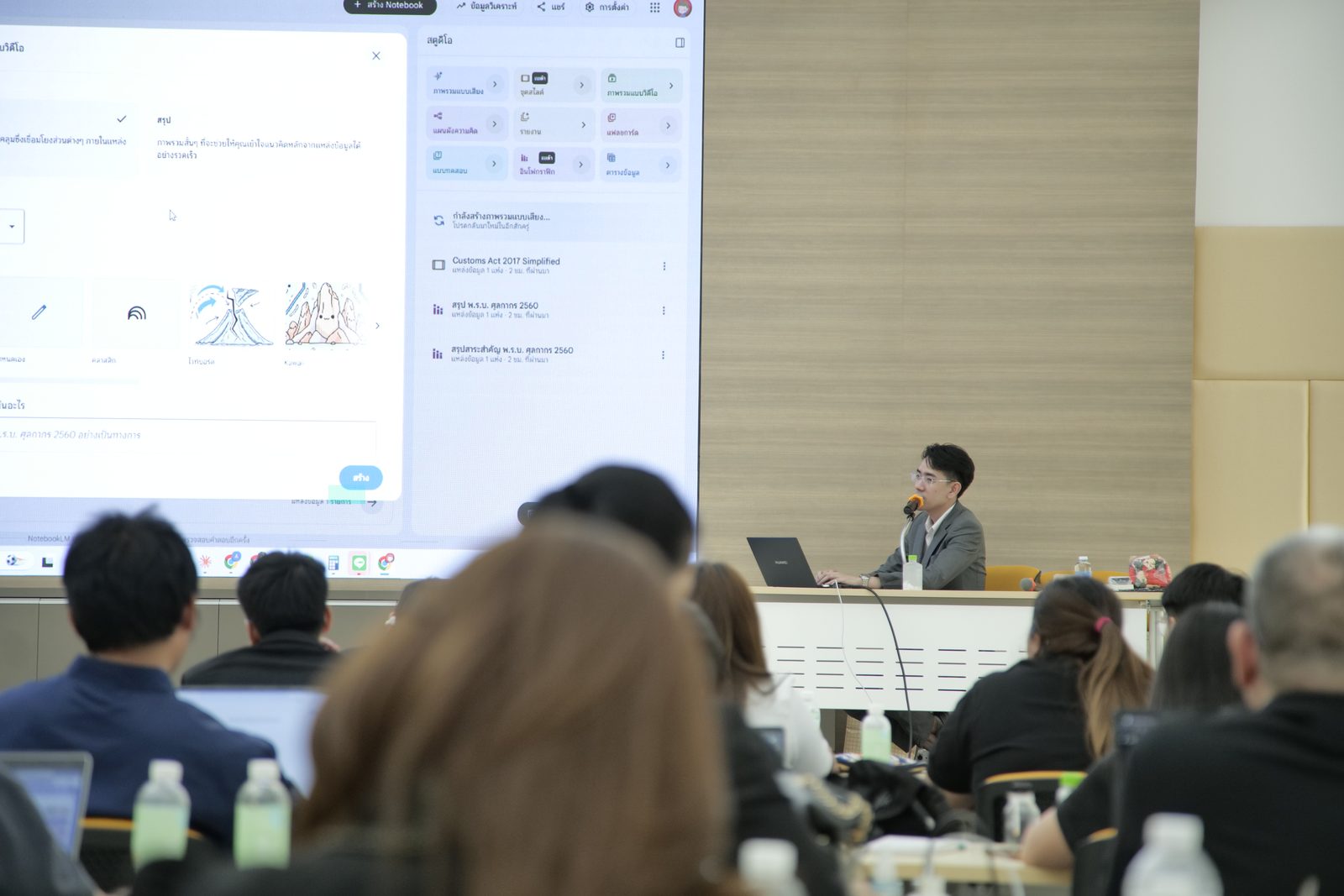
อบรม AI ให้ทีมประชาสัมพันธ์จาก 9 หน่วยงานภาครัฐAI training for PR teams from 9 government agencies

รับเชิญเป็นวิทยากรเวิร์กช็อปเข้มข้น 3 วันเต็ม เน้นลงมือทำจริง วิธีสอนแบบเดียวกันนี้คือสิ่งที่เรานำมาใช้ในคลาส CoworkWe were invited to lead an intensive three-day, hands-on workshop. The same teaching approach is what we bring to the Cowork class.

อ่านเคสจริงพร้อมภาพบรรยากาศ 16 ภาพRead the full case with 16 photos
100+

องค์กรที่เราอบรม AI ให้Organizations we have trained in AI

9

หน่วยงานภาครัฐในเคสล่าสุดGovernment agencies in the latest case

64

หลักสูตรให้เลือกCourses available

คำถามที่พบบ่อยFAQ

Claude Cowork ต้องใช้แพ็กเกจไหน?Which plan does Claude Cowork need?

ต้องใช้แพ็กเกจแบบเสียเงินของ Claude ได้แก่ Pro, Max, Team หรือ Enterprise ส่วนการใช้บนเว็บและมือถือขึ้นกับแพ็กเกจและการเปิดใช้ขององค์กร ก่อนอบรมเราช่วยดูให้ว่าทีมของคุณควรใช้แพ็กเกจแบบไหนIt needs a paid Claude plan: Pro, Max, Team or Enterprise. Use on the web and mobile depends on the plan and on whether your organization has turned it on. Before training, we help you work out which plan fits your team.

Claude Cowork ใช้ภาษาไทยได้ไหม?Does Claude Cowork work in Thai?

ได้ คุณสั่งงานและอ่านผลลัพธ์เป็นภาษาไทยได้เหมือนใช้ Claude ในแชต เราจึงสอนด้วยตัวอย่างงานภาษาไทย ส่วนเมนูในแอปจะเป็นภาษาไหนขึ้นกับเวอร์ชันที่ใช้ ควรเช็กกับบัญชีของคุณ ผลลัพธ์ภาษาไทยควรให้คนตรวจทุกครั้ง โดยเฉพาะชื่อ ตัวเลข และปี พ.ศ.Yes. You can give instructions and read results in Thai, just as in Claude chat, so we teach with Thai work examples. Which language the app menus use depends on your version, so check with your own account. Have a person check Thai output every time, especially names, numbers and Buddhist-era years.

ข้อมูลบริษัทปลอดภัยไหมถ้าใช้ Claude Cowork?Is company data safe if we use Claude Cowork?

ขึ้นกับวิธีตั้งค่าและวิธีใช้ เพราะ Cowork ทำงานในไฟล์และเครื่องมือที่คุณอนุญาต Anthropic แนะนำให้ใช้โฟลเดอร์เฉพาะ เปิดเฉพาะเว็บที่ไว้ใจ และใช้ Manually approve กับงานที่ละเอียดอ่อน ฝั่งแอดมินของ Team และ Enterprise คุมการเปิดใช้ ปลั๊กอิน และตรวจย้อนหลังได้ ในอบรมเราช่วยวางกติกาเหล่านี้ ส่วนเงื่อนไขข้อมูลของแต่ละแพ็กเกจ ควรให้ฝ่ายกฎหมายหรือไอทีอ่านเอกสารทางการของ AnthropicIt depends on setup and habits, because Cowork works in the files and tools you allow. Anthropic advises a dedicated folder, trusted sites only, and Manually approve for sensitive work. On Team and Enterprise, admins control rollout and plugins and can audit sessions. In training we help you write these rules; for each plan's data terms, have your legal or IT team read Anthropic's official documents.

Claude Cowork ต่างจาก Claude Code ยังไง?How is Claude Cowork different from Claude Code?

Cowork ทำงานที่ไม่ใช่การเขียนโค้ด เช่น สรุปข้อมูล ทำสเปรดชีต สไลด์ และเอกสาร ส่วน Claude Code เหมาะกับนักพัฒนาที่ทำงานกับโค้ด ถ้าทีมของคุณเป็นนักพัฒนา ดู อบรม Claude CodeCowork handles work that is not coding, such as summarizing data, spreadsheets, slide decks and documents. Claude Code is for developers working with code. If your team is developers, see Claude Code training.

ค่าอบรมลดหย่อนภาษีได้ไหม?Is the training fee tax-deductible?

ได้ องค์กรสามารถนำค่าอบรม Claude ไปลดหย่อนภาษีได้สูงสุด 200% ตามพระราชบัญญัติส่งเสริมการพัฒนาฝีมือแรงงาน สำหรับหลักสูตรที่มีระยะเวลา 6 ชั่วโมงขึ้นไป ทีมงานของเรามีเอกสารประกอบและช่วยเตรียมเรื่องยื่นให้ครบถ้วนYes — under the Skill Development Promotion Act, organizations can deduct up to 200% of the training fee for courses of 6 hours or longer. Our team provides the supporting documents and helps prepare the filing.

Claude Cowork ใช้บนมือถือหรือเว็บได้ไหม?Can Claude Cowork be used on mobile or the web?

ได้ในบางแพ็กเกจ Cowork เปิดบนเว็บและมือถือได้สำหรับ Pro และ Max ส่วน Team (เบต้า) และ Enterprise ต้องให้แอดมินเปิดใช้ แต่การเข้าถึงไฟล์ในเครื่อง ตัวเชื่อมต่อบนเครื่อง และ computer use ต้องเปิดแอปเดสก์ท็อปไว้ แอปเดสก์ท็อปมีบน macOS และ Windows ส่วน Linux ยังเป็นเบต้าYes, on some plans. Cowork runs on the web and mobile for Pro and Max, and for Team (beta) and Enterprise once an admin turns it on. Access to local files, local connectors and computer use needs the desktop app to be open. The desktop app is available on macOS and Windows, with Linux in beta.

ขอใบเสนอราคาอบรม Claude CoworkGet a Claude Cowork Training Quote

กรอกฟอร์มสั้น ๆ ทีมงานจะส่งรายละเอียดให้ภายใน 24 ชั่วโมงFill in the short form and our team will send you the details within 24 hours

หรืออีเมล or email [email protected]

กดส่งฟอร์มถือว่ายอมรับ By submitting this form you agree to our นโยบายความเป็นส่วนตัวPrivacy Policy